Recently in Time Management Category
Ryn Daniels has written an excellent piece about time management and productivity when you are burned out. The advice is spot on. I also do these things when I'm not feeling my best too.
"It's one thing to talk about productivity when you're already feeling motivated and productive, but how do you get things done when it's hard to even make it through the day?"
https://superyesmore.com/productivity-when-you-just-cant-even-0c73d6a1f086209af420c2ced442a2e8
The newest TiVo model is called the BOLT. I've been using TiVo since the first generation, back when it used a dial-up modem to download the tv guide listings and software updates. My how far we've come!
If you have a TiVo already, the BOLT user interface looks and acts the same but everything is faster and better. There is a new feature that automatically skips commercials (if the TV show permits it), an a feature that plays shows at 30% faster speed, with pitch-correction. Everything is faster. This unit has more RAM and a faster CPU than any previous TiVo model, which really shows in the UI. Everything is snappier and that makes it more usable. Most importantly apps like Netflix, Hulu, HBO Go, and Amazon Prime start up instantly instead of making you wait a frustratingly long amount of time. On the old model I'd think twice before starting the Netflix app because it took a full minute to start. If I accidentally hit a key and exited the app, I'd often give up and return to watching recorded TV rather than start the Netflix app again. It just wasn't worth it. The new model eliminates that kind of problem.
That said, the real star of the show is the setup process. Every home electronics manufacturer should be jealous. Since I bought my TiVo online from TiVo.com, they've connected its serial number to my account and therefore have been able to do most of the setup ahead of time. I simply plugged it in, moved my CableCard from my old device, and followed a few basic instructions. I was shocked at how fast the process was. I was shocked at how streamlined it was. This level of perfection must have touched on not just TiVo's engineering team, but everything from logistics, to finance, to packaging, to documentation. I kept saying, "That was too fast! I must have forgotten something!" But no, it really was set up and working. I was sitting back streaming an episode of Rick and Morty.
Even the documentation is excellent. Having such a refined setup process reduces the amount of documentation need, of course. Therefore the docs focus on what's new and basic tips. For example, it points out that even if you haven't received your CableCard yet (that comes from your cable provider and they often drag their feet sending you one), it tells you to do the setup anyway as you'll be able to watch unencrypte channels and stream. Good point. I would have assumed I should leave the TiVo in its box until the CableCard arrived... an unnecessary delay! This tells me that their customer support group and documentation group actually talk with each other.
The Netflix app is much better than on my old TiVo Series3 and TiVo Premiere models. The old models have a Netflix app that uses the buttons on the remote in ways that I can only describe as "creative". Had the product designer never actually used a TiVo before? On the BOLT the Netflix app uses the buttons for the same functions as when watching TV. A lot of the functionality that hasn't changed just plain works better because the CPU is faster. For example on the older slow hardware it is typical to press a button, the TiVo is slow to respond, you press the button again because you think maybe the TiVo didn't receive the first keypress, then both keypresses execute and you are fucked. I hate to dis the engineering team at Netflix, but the app just fails (on older TiVos) in ways that smell like the developers weren't not given access to actual hardware and designed it without realizing how slow the CPU would be. The TiVo BOLT's faster CPU seems to have caught up with their slow software. This is really the first TiVo model where using Netflix meets my high bar to be considered "usable". Netflix on my Mac still gives slightly finer control (you can skip to a specific place by clicking the timeline), but I'll be watching a lot more Netflix on my TiVo now.
The HBO app is better than on the older TiVos but every time I use HBO Go I feel like I'm using a product that is just struggling to run, leaving the engineers no time to make it run well. That said, the faster CPU makes the HBO app less annoying to use. Good job, Hollywood!
The only feature that the new TiVo is missing is the ability to download streams and watch them later. Right now it seems like any streaming is buffered for only a few seconds. If your ISP is having a bad day, you might spend a lot of time waiting for it to buffer. For programming I know I'm going to watch, I wish the streaming services would just let TiVo download the show to my harddrive. I'm sure their lawyers have their knickers in a twist about such features (IP lawyers think that 1's and 0's stored on a hard drive are totally different than ones stored in a buffer. When will they learn?). That said, such a feature would probably make it easier on the Netflix CDN considering they could trickle-feed such videos to me during quieter network times. But I digress..
Lastly... you might be wondering why I'm writing about TiVo on a blog for system administrators. Well, I believe that using a DVR is an important part of time management. Using a DVR puts you in control of your TV-watching time. Otherwise, the TV network controls you. This is why I dedicate an entire page to DVR tips in Time Management for System Administrators.
If you have a TiVo and are considering getting the BOLT or BOLT+, I think it is completely worth it. If you don't have a DVR, I don't think you can go wrong with a TiVo.
Five stars. Would buy again!
The new season of Archer starts tonight!! (Mar 31, 2016) at 10pm!
The Powerpuff Girls 2016 Reboot starts on April 4th. Set your DVRs now!
The Detour starts on April 11. I have high hopes for this show. It is created by Samantha Bee and Jason Jones.
Speaking of Samantha Bee, her new weekly news program Full Frontal with Samantha Bee is my new favorite show. I think it shows that she should have replaced Jon Stewart.
Silicon Valley's season 3 premieres April 24. If you work at a startup, or just wish you did, you can't miss this show. ProTip: If you DVR can only set up new recordings 14 days in advance, set a reminder in your April 10 todo list.
And also remember my 3 tips for using a DVR to reduce how much time you waste watching TV:
- Rule 1: If you watch all the way to the end of the program, you have to delete it. Don't give me any of that "Oh, I'll want to watch that again" logic. You don't have enough time to watch everything that gets recorded, let alone watch it a second time.
- Rule 2: If you add anything to the list of shows that are automatically recorded (Season Passes), you have to delete something of equal length and frequency. Alternative: each month you have to delete at least one hour worth of Season Passes.
- Rule 3: If it's about to get old enough to be automatically deleted, let it expire. No extending the date. Archiving it to tape because "I'll find time to watch it later" isn't allowed (see Rule 1 about how much free time you have). Dude, ya just gotta learn to let it go. For me, the only exceptions to this rule are the three most important shows I'm watching.
These Tivo tips are from the "how to avoid wasting time" section of Time Management for System Administrators.
This HuffPo article is worth reading:
According to an Ernst & Young internal study, for "each additional 10 hours of vacation employees took, their year-end performance ratings improved 8 percent, and frequent vacationers also were significantly less likely to leave the firm".
By the way... using your vacation time one day here and a long weekend there is not a "vacation". Generally I find that you're brain doesn't relax until day 3 of a vacation, especially if there is travel involved. If you don't take a long break you never reach that point. If you take a lot of long weekends you end up spending that time doing laundry and you rob yourself of the opportunity to actually relax.
That's why my time management book has an entire chapter just on vacations and relaxation. Taking a vacation isn't wasting time... it is an investment in yourself.
There are many ways to specify scheduled items. Cron has 10 8,20 * 8 1-5 and iCalendar has RRULE and Roaring Penguin brings us REMIND. There's a new cross-platform DSL called Schyntax, created by my Stack Overflow coworker Bret Copeland.
The goal of Schyntax is to be human readable, easy to pick up, and intuitive. For example, to specify every hour from 900 UTC until 1700 UTC, one writes hours(9..17)
What if you want to run every five minutes during the week, and every half hour on weekends? Group the sub-conditions in curly braces:
{ days(mon..fri) min(*%5) } { days(sat..sun) min(*%30) }
It is case-insensitive, whitespace-insensitive, and always UTC.
You can read more examples in his blog post: Schyntax Part 1: The Language. In Schyntax Part 2: The Task Runner (aka "Schtick") you'll see how to create a scheduled task runner using the Schyntax library.
You can easily use the library from JavaScript and C#. Bret is open-sourcing it in hopes that other implementations are created. Personally I'd love to see a Go implementation.
The Schynatx syntax and sample libraries are on Github.
In Time Management for System Administrators I describe a way to manage your todo lists which I call "The Cycle". The book came out before the existence of smart phones and app stores, so it doesn't include some important info.
The iPhone app (now available for Android) that I use for The Cycle is Appigo Todo Cloud. It can be configured in a way that makes it easy to do The Cycle.
If you recall, in The Cycle you set up a todo list for each day. At the end of the day, you move the remaining items to the next day's list.
Todo Cloud doesn't support this directly, but you can fake it.
First, we will use the "Due Date" field as the date you want to "do" the task. When we sort the todo-items by "Due Date" we'll see what appears to be one list per day.
Second, to "bump" tasks to the next day, we'll configure the "Quick Menu" (press-and-hold on a task) to include the "Postpone" button.
Here are the configuration settings I did to achieve this:
- Sorting:
- Due Date, Priority
- General:
- Completed Tasks: "on"
- Show: For one week
- Display Options: Turn on Overdue Section, Color Overdue Dates
- Focus List:
- Show tasks: (enable all + Completed: For one week)
- Task Creation:
- Due Date: Today
- Priority: None
- Quick Menu:
- Postpone, Today, Tomorrow
- Star, Next week, No date
- Due Date, Start Date, Skip
- Quick Menu:
When you "invest 5 minutes" each morning to plan your day, simply press-and-hold any item you want to move to the next day (postpone). Drag and drop the items around to prioritize them.
That should be all you need to do. However I set up my app a long time ago so I may have left some things out. If you set up Todo from a completely "factory default" state, I'd appreciate knowing if I missed anything.
Note that I am not affiliated with Appigo. They probably don't even know that I recommend it so often or even know that their product works so well with the techniques recommended in Time Management for System Administrators.
I'm the guest on this week's "Ops All The Things!" podcast. We talk about time management and all sorts of things. Check it out!
Tom will be teaching 2 tutorials, doing a book signing, and including the all-new Evil Genius 101 half-day class.

|
Tuesday AM: Half-day tutorial: Advanced Time Management: Team Efficiency Updated! | |
|
|
Tuesday PM: Half-day tutorial: Evil Genius 101 New! | |
|
|
Thursday, 1-1:30PM: Book Signing in Exhibit Hall C | |
|
|
Thursday, 2-3:30PM: "Time Management Office Hours" (one-on-one time management counseling) New! | |
|
|
Friday, 9-10:30AM: Guru Session "Time Management for Sysadmins" (Harding Room) |
I wrote a lot about habits in Time Management For System Administration. If there is something you need to do a lot, turning it into a habit means you are more likely to do it and less mental effort is required when doing it. To paraphrase the Java (programming language) slogan "Write once, run everywhere": Habits let you "Think once, do always."
One tip I realized after finishing the book was the power of linking one habit to another. If you need to add a new habit, linking it to an existing habit helps develop that habit.
Here's an example: Problem: I forget to put my wedding ring back on after I shower. Why? I'm not used to wearing jewelry. Being recently married it just isn't a habit for me yet. (Yeah, this is an excuse to brag that Chris and I got married this summer.) When I take off my ring I put it in a safe place far from any drains or other places it might disappear into. Out of sight, out of mind. I forget to put it back on. Solution: I do have a habit of putting my watch back on after I shower. My wrist feels "wrong" without a watch. Therefore, when I take my ring off I always put my watch in the same place. By linking the established "put my watch on" habit with the new "put my ring on" habit I don't forget either.
Another example relates to a wedding gifts we received. It is a Neato Robotics robotic vacuum. We love it. We've programmed the schedule to wake up and clean the house when we're at work. It is luxurious to come home to a freshly vacuumed house. While it is good at avoiding obstacles there are certain things we need to move out of the way before it starts. I was having difficulty remembering to do this pre-cleaning on the days the robot is scheduled to clean.
The solution again was to link this new habit to an existing one. I need to take the trash out Tuesday and Friday morning. Therefore I changed the Neato's schedule to clean on Tuesday and Friday. Now when I take the trash out, I also take a moment to remove any debris from the floor.
If you are trying to develop a new habit I highly encourage you to think about the other habits in your life and linking the new habit to one that is already established. There is a bigger discussion about routines and habits in chapter 3 of TM4SA. The book is available in paper, e-book, and you can also read it on the web thanks to Safari Books Online.
https://www.usenix.org/conference/lisa13
The training this year has a lot of advanced topics that will bring a smile from anyone working in a DevOps environment. Tutorials on Jenkins, build-your-own-cloud, and a Googler will teach a class called "SRE University".
There are a lot of specific technology tutorials: IPv6, file systems, Puppet, Python and a RaspberryPi class for people that want to move it beyond being a toy.
I noticed a bunch of new security tutorials.
I'll be teaching my new class 'Evil Genius 101' which is about how to convince your coworkers to get on board with your evil plans for world (or at least network) domination.
Get ready for LISA '13 in Washington, D.C.. The 27th Large Installation System Administration Conference. November 3-8, 2013
NOTE: LISA is a lot earlier this year!
A reader asked me:
What’s your opinion on merging “to-do” lists with issue trackers in The Cycle? I have a pile of To Do items which aren’t properly “issues”, and a pile of issues. I don’t want to duplicate tickets in the to-do list, but I’d like to look at one place to figure out what to work on next.
You are correct in that copying items from your ticket system to your to-do list leads to trouble. They aren’t synced and bad things happen. I have a n-hour to-do item each day called “work on tickets” (where “n” is 1 to 8 hours depending on the requirements of my job). During that time I focus on tickets, using the ticket system’s ability to sort and prioritize the requests. Some tickets require follow-up that is appropriate to track using your to-do list. For example if work related to the ticket involves calling someone on a certain date, putting that on the to-do list for that date assures perfect follow-through.
is brought to you by The Joy of Tech: http://tapastic.com/episode/3845
If you use "The Cycle", today is the day you review your "long term goals" list. Cross out obsolete items or items that you now realize only seemed like a good idea at the time. Pick the 1-2 most important ones. Discuss them with your partner/wife/husband/spouse/family and set goals of the year.
For each goal, come up with 5-6 milestones that will get you to that goal. Milestones should be measurable. Sprinkle the milestones on the todo lists throughout the next couple of months. (In The Cycle, you have a different todo list for each day of the year; incomplete items slide to the next day.) For example, put one milestone on the todo list of each of Jan 1, Feb 1, March 1, and so on. At the start of each day allocate time for one of these big goals until it is complete.
This tip comes from Chapter 7 on "Life Goals" in Time Management for System Administrators. You might find it useful to re-read this chapter today. It is a short chapter so take some time to do that right now.
Also...
Today is also the first day of the month. The "monthly tasks" on your todo list should kick in today. Do any once-a-month routines (for example... call your mom!). Typically today you will get many emails reminding you which mailing lists you are on. Remember that it is better to unsubscribe than to delete without reading.
Have a happy new year! 2013 is going to be great!
Ben Cotton write an excellent summary of my half-day tutorial from LISA this year:
https://www.usenix.org/blog/time-management-system-administrators-0
Time Management for Sysadmins mentions the Pimlical's DateBk software a lot. It is one of the finest time management software packages around. It was way ahead of its time
Sadly it was only available for the Palm series of PDAs.
Pimlical's equivalent program for Android is called "Advanced Calendar". Until recently the installation process was a bit... odd.
Now it is available on the Google Play app store. As a result, it is much easier to install.
Check it out here:
https://play.google.com/store/apps/details?id=com.pimlicosoftware.PimlicalA
Occasionally I get asked for a system that can keep a todo list and calendar and sync to a desktop directly i.e. without going through a internet-based system like Google Calendar. Pimlical has a new product that does this. I haven't tried it, but I was a big fan of their Palm OS products so I thought I'd give it a plug on my blog.
The new release of Pimlical/Android and Pimlical/Desktop let you sync between your Android phone and desktop using "DirectSync" rather than syncing via Google Calendar. The press release I received says this "Removes any concern about security/safety of personal data by bypassing the cloud and Google's servers."
Pimlical -- the successor to DateBk6 that now supports Windows and Android platforms. DateBk6 was my favorite Palm todo list management software.
More information here: http://www.pimlicosoftware.com/
We are two people. The person that calmly makes plans and the person that executes them. The first person is calm and thoughtful and has the right amount of doubt to make sure a plan will work. The second person rushes to judgement and is full of hubris. "What was I thinking! I can do it more/better/differently." is what the second person says. The second person often forgets how much work went into the planning or the rationale for why things were set in a particular order.
If an outside knows of the plan, it can confuse things if the second person "optimizes" the plan leaving those other people out of the loop. The second person often thinks they're the only one that knows the plan, but often they are forgetting someone.
I've had to learn that if someone in my todo list is marked as being in a specific order, I should "trust the plan" and follow it... against the recommendation of that second person.
A friend of mine recently said her plan in the morning involved seeing her son off on a trip then getting 4 things done at home. What happened was she made a last-minute decision to drive him to the event personally, which meant a series of problems including some delays that prevented those 4 things from getting done.
Why didn't she listen to that person that, the night before, carefully constructed a good plan?
I do a lot of volunteer work and often we spend a lot of time working on a plan and later when executing the plan people will start to make changes. This brings up all the "second person" problems but at an even bigger scale. You'll often hear me saying, "Trust the process" over and over.
Once we were stuffing envelopes for a big mailing. It was a rather complicated project creating 3000 pieces to be mailed. Previously we had ended up in a situation where we ended up with 2000 properly stuffed, labeled, and stamped envelopes plus 1000 envelopes that just had stamps, and a different 1000 envelopes that were stuffed and had address labels stuck on them. We stuff the envelopes; only stuffed envelopes get labels, and only labeled envelopes get stamps. Three assembly lines, one that feeds the next. If you notice, the order also reflects the cost-of-replacement: stamps are expensive so you don't want to put them on until you know the envelope is otherwise prepared. When you run out of contents, no more stamps are consumed.
Sometimes the labeling process was the bottleneck and someone outside the planning process would "help" by labeling empty envelopes. They don't realize the potential problem they are causing, or the confusion.
Every morning I do my "5 minutes of planning". I look at my calendar then check my todo list for the day. I re-arrange my todo list, often pushing things around to be in priority order. I do this on the train so it is ready when I get to work. By the time I get working on stuff I've often forgotten the rationale for the order things are in, so I've had to train myself to "trust the process" and do the tasks in the order "the other me" proscribed.
Because if I don't do that, I end up spending the morning writing a blog post instead of working on my todo list. And that can disorient my entire day.
I usually don't blog about something that has so little to do with system administration, but in this case I consider it a "time management tip".
Each year AMC theaters run their "Best Picture Showcase". They show all of the "best picture" nominated films in a marathon. They show 4 films on one Saturday and the other 5 on the following Saturday. This year it is Sat, Feb 18 and Sat, Feb 25. You can buy tickets for either or both days. (Some theaters show all 9 in a row on one day.. 23 hours of movies!)
We went last year and it was awesome. We had seen some of them already but it was fun seeing them again. The schedule includes a break between each film and a big break at inner. We went to a theater far enough away that it felt like we were on a mini-vacation.
For all the details go to: http://go.amctheatres.com/bps
Highly, highly recommended!
(We'll probably go to the one in New Brunswick, New Jersey.)
Note: SCALE is the Southern California Linux Expo which will be held January 20-22, 2012 at the Hilton Los Angeles Airport hotel.
Aleksey Tsalolikhin will be teaching a SCALE University (a joint project between SCALE and LOPSA where LOPSA instructors teach classes on topics related to system administration as part of LOPSA's mission to educate on system administration topics) based on "Time Management for System Administrators".
Here is a sample success story from a student that completed the practice run of the course a week ago:
I think that "The Cycle" system is a pretty comprehensive approach to time planning, but very simple concept to implement. And it looks very practical in it's approach. i definitely plan to follow up on it and give it a try right away. One thing it really encourages you to be very strategic in your thinking, which also helps with achieving long term goals. Putting some time to think about the important long term goals both personal and professional was a real eye opening for me, since I pretty much discovered that I am spending a lot of time and effort on things that are not important from the long term goal perspective.I liked also the attitude towards the vacation time -- you know as a sysadmin you always feel guilty for taking too much vacation time in one lump, now I will feel guilty for not taking vacation time instead :-) It also helps to encourage your colleagues to take on more ownership and responsibilities over company's infrastructure while you are on vacation.
I haven't seen the slides but based on his past experience I predict good things.
Sign up for the class: Time Management for System Administrators at SCALE
Sign up soon before it fills up!
I'll be speaking at LOPSA-New Jersey on Thursday. This will be a repeat of the keynote I did in North Carolina last November. While it says "security" in the title, it will make sense whether you work in security or not. All are invited! (no charge to attend)
Topic: You Suck At Time Management (but it isn't your fault!) Date: Thursday, January 5 2012 Time: 7:00pm (social), 7:30pm (presentation)
Pizza and Soda being brought to you by: INetU Managed Hosting
If you are planing on coming please RSVP so we have a good count for the Pizza.
Location:
Lawrence Headquarters Branch of the Mercer County Library
2751 US Highway 1
Lawrenceville, 08648-4132
So much to do! So little time! Security people are pulled in so many directions it is impressive anything gets done at all. The bad news is that if you work in security then good time management is basically impossible. The good news is that it isn't your fault. Tom will explore many of the causes and will offer solutions based from his book, "Time Management for System Administrators" (Now translated into 5 languages.)
One part of "The Cycle" is that you should keep a list of long-term projects and review it every few months. There are two specific times you should always review it: around budget time (this is where you record those great projects that are so big they'll require funding), and around New Years (the list usually inspires good New Years Resolutions).
The list has a couple "secret" functions. First, when your main todo list is growing out of control, it can be very useful to move some of the more audacious goals onto this list. Secondly, sometimes an idea is taking up brain-space and you just need to write it somewhere.
I'm told that the reward/pleasure system in the brain activates when you accomplish a goal. I'm also told that the exact same activation happens when you tell a friend an idea about a goal you'd like to accomplish. Thus, you don't feel the need to do the project any more if you've told someone about it. That's why I'd rather write it down on my list. It gets it out of the "front of my brain" so I can think about other things. Since I have more ideas than I could ever do, it also has the benefit of being an efficient "place where ideas go to die". However they are recorded so when I do my yearly peek at the list, if it still seems like a good idea I haven't lost it.
Every idea I have seems like the best idea ever when I have it. The test to see if it really is a good idea is if it still feels like a good idea months later.
A good place to store this list is anything private that is easy to access. You want to be able to whip it out and write something down any time. If it isn't accessible, I write the idea into my todo list for recording later. If you use a physical organizer having a page at the back of the notebook is a good place for this list. If you use a PDA or Smartphone, a "notes" page or similar is a good place.
We're almost to the end of the year. It is a good time to look at the list, add and delete things. Maybe there are items you'd like to discuss with your significant other, boss, mentor or coach.
Two years ago my new years resolution was to lose weight. I joined Weight Watchers and lost 40 pounds. I've kept 30 off, which was pretty much my goal. I'll be writing more about that in the coming months.
I haven't finalized my New Years Resolutions yet. However, if you'd like to post yours, feel free to write in the comments (even if you haven't finalized them, I'd love to hear your thoughts!)
11/11 is the date that looks most like corduroy and 11/11/11 makes it especially special!
Wear them 'cords with pride!
Sincerely, Tom
What does this Time Management guru think of Apple's new Reminders.app?
If you read this blog your ears probably perked up when you heard that Apple's iOS5 adds a new application called "Reminders.app". It complements the todo-list infrastructure Apple has been adding to its calendar system on OS X.
The big question is: Can it do "The Cycle". "The Cycle" is the todo list management system that I describe in Time Management for System Administrators. It is very full featured even though you can start just by using a couple of its principles and building up as you get used to it. It is also flexible and customizable to suit your work-style.
Most todo list systems aren't made with The Cycle in mind (how dare they ignore me!) but if they are configurable you can get it to do The Cycle to some degree. Reminders.app has most of the features required. However, unlike products like Appigo Todo, there are many gaps and the workarounds require many keystrokes... I mean... taps.
There are four principles of The Cycle that translate into software features. First, you must be able to pin a task to a specific date; preferably you have a different todo list per day. Second, when a task's day has passed it should flow to the next day. Third, within a day's list you should be able to re-order the tasks. Lastly, moving a task to the next day (or any future day) should be frictionless.
Let's see how Reminders.app rates on these criteria.
Pinning: Pinning a task to a date is easy. If you press the + button while viewing a particular date the task is pinned to that date. As you create the item you can't change this default (you must click "done", click on the item, and set the date.) There is no setting that will let you change the default behavior to have all new items be pinned to "today" or to no date.
Flowing: A task does automatically flow to the next date if it wasn't completed by midnight. That's great. It took me a long time to test this feature. On Monday I set reminders for today and Tuesday. On Tuesday I saw the first item was bumped forward one day. With great self-control I didn't touch either item and on Wednesday I saw both had bumped forward. I can't tell you how excited I was. I'm blushing.
Re-ordering: I couldn't figure out how the app orders tasks within a day. It isn't by time. it isn't by priority. It isn't alphabetically. I think it is just the order you enter them in. Sigh. This is very disappointing. This is is a key missing feature since an important part of the The Cycle is to "Invest 5 Minutes" by starting each day by taking 5 minutes to re-order your todo list to match your priorities. Other systems let you drag the items around. The fact that changing an item's priority doesn't seem to have any effect on the item (it doesn't even change the color) either indicates that this is either a bug, an unimplemented feature, or I'm just doing it wrong. All three have equal likelihood. The work-around is to maintain the order in your head, or re-think the order after you complete each item. That goes against my principle of "think once, do many".
Bumping: The last principle is that it should be easy to bump a task to the next day. Part of "guilt-free time management" is that you control when things are done. If it is a pain to move an item to the next day (or further into the future) it is temping to just leave them where they are and use your brain (instead of your smartphone) to remember when you'll actually do it. Sadly it takes at least 4, and usually 6, taps to set the date on an item. That is not friction-free.
So, of the 4 principles Reminders.app succeeds with 2, fails on 1, and gets a C+ on the other.
What is Reminders.app good for?
The system does use the GPS to relate a reminder to a particular location. In fact, it can alert you when you arrive at that location or when you leave. I just set a reminder to myself that will pop up when I leave my house. That's damn useful.
The application is also very integrated into the Apple iCloud offering. Their email/calendaring products added todo lists a while ago and it is good to see that the iPhone is getting those features too.
Reminders.app does what it is designed to do: Offer reminders at the right time and keep track of simple task lists. If you just need an occasional reminder, it is just fine. I think this is what Apple intended. I suspect that, like many Apple products, the initial version is just to test the waters. If it sparks demand, they'll allocate resources to pumping it up with features. We've seen that before.
I don't want to go out on a rant here but... this is the difference between generic time management "checkbox apps" that primary vendors add versus what you get from a company who's core product is time management. This gets repeated over and over (even the Palm Pilot's todo list was weak and had to be augmented by Pimlico's DateBk enhancement if you were a power user)
In conclusion I would recommend Reminders.app if you only have the need for an occasional.... reminder. It isn't a big powerful todo list management system. However if you have an iPhone, need the GPS features, and don't have a heavy workload to track, use it. You'll do fine.
Reminders is good at what it was designed to do: remind you of something at a specific time or a specific place (or both).
Just in time for Sysadmin Appreciation Week...
People often ask me how they can improve their sysadmin team. It takes only a brief discussion to find fundamental gaps that, when filled, will improve the teams's productivity and the quality of the service being provided.
To help you find these gaps, I present: The Limoncelli Test
I stopped using Facebook 8 months ago. CNN's article "Why some dissatisfied users are shunning Facebook" reminded me that I haven't written an article to explain why.
There were a number of reasons. Obviously, yes, as a Google employee I was kind of sick of hearing the media yammer about Facebook, Facebook, Facebook. There was an extra large amount of hype then, especially since "The Social Network" film came out. (As an aside... I enjoyed that movie immensely and recommend it to all. I love Sorkin's writing style.)
However the big reason was time management related. I had a number of big important projects on my plate, both at work and outside of work. I did, as I recommend in my time management book, pause to take a serious look at where I was spending my time and compared it to my priorities. My "time use inventory" showed I was spending 2 hours a day on Facebook. 14 hours a week? That's like having a part-time job! What was I gaining from it? Mostly knowing intimate details of the lives of people I didn't know very well. This was not as high on my priority list as those other projects.
Social networks create an "artificial intimacy". Years ago a friend pointed this out about Facebook. I hadn't met in person for 2 years and he commented that because of Livejournal he felt like we were in constant contact. He knew all about what I had been up to. He explained his concept of "artificial intimacy" and asked if I had experienced the same thing. Sadly I hadn't experienced this phenomenon... I had stopped reading his LiveJournal a long time ago.
Before I disabled my account I tried to cut down. I purged 300 people from my friends list. That was an improvement, but not as much as I had hoped. I tried "no Facebook while at work" but that just meant I spent more time on FB when I was home; and my home time is much more precious and scarce! Why was I squandering it on FB? I tried only using it while on the train (35 minutes twice a day) but the mobile experience sucked and it was less efficient than what I had been doing on the train: listening to Podcasts that inform and educate me. Mobile use was also frustrating as I couldn't write long detailed replies from my phone.
However the last straw was when I heard the term "FBHW"... "Facebook Homework". A friend referred to the need to catch up on his "FBHW". The fact that it was a burden or an obligation to stay on top of FB was the final straw. I was feeling guilty for not staying up to date and I didn't like that.
In TM4SA I write a bit about how guilt negatively effects our ability to manage our time well. I emphasize this a lot more in my in-person training. In fact, I go as far as to refer to many of the techniques combining to create "guilt-free time management system". If higher priority projects weren't getting enough time and attention because I was feeling guilty about not being up to date on my Facebook Homework, then something had to change.
As an experiment I disabled my account. FB makes that a little hard... they obscure the option and then go so far as to show you picture of your friends claiming these are the people that will miss me (more guilt!). However, one of the pictures they randomly selected is someone I actually dislike and was only not defriending him to not offend his wife (more guilt!). See that photo made it much easier to click the final button to deactivate my account.
I thought I'd disable it for a month (they make it easy to re-activate the account). However it is now 8 months later and with the added 2 hours each day, I'm getting better reviews at work, spending more time on projects that are important to me, and having more fun.
The people that I care about still stay in touch by other means. I haven't missed any important news. Reading dailykos.com keeps me more informed anyway.
I'm not saying that everyone should get off Facebook or social networks.
I haven't eliminated social networks from my life. I use Twitter a lot (and I gateway my Tweets to Google Buzz). I find that when I have a few minutes while waiting on line I can bring up Twitter on my phone and get a splash of news and information from both friends and traditional news sources. Filling that kind of void has a lot of utility, and maybe that's the only part of FB that I really liked. Twitter has the advantage that the stream is such a flood that I don't try to stay up to date. I expect that I'll miss a lot of messages and that's ok. No guilt.
Since I've left FB I have been shocked to see that companies no longer list the URLs in advertisements, they list their Facebook page. This worries me. It seems a lot like the RealNames scam from the early dotcom boom. I could go off on a long rant about the importance of open protocols and distributed authority but that's an article for another time. ...and I have more important things to do.
I'll be speaking at LOPSA-NYC Tuesday, June 14, 7pm. Please pre-register to speed your way through security.
Come here me speak about the Ganeti open source project. Think virtualization clusters have to cost big bucks? Think virtualization isn't useful for a small site? Come and find out why a person that usually talks about Time Management thinks virtualization is his new favorite time management trick.
Here is the official announcement.
- Topic: Ganeti: Open source virtualization (like VMWare ESX + VMotion but open source)
- Speaker: Tom Limoncelli, Google, Inc
When: Tuesday, June 14, 7pm - 9:30pm
Description: Ganeti is a cluster virtual server management software tool built on top of existing virtualization technologies such as Xen or KVM and other Open Source software. Ganeti takes care of disk creation, migration, OS installation, shutdown, startup, and can be used to preemptively move a virtual machine off a physical machine that is starting to get sick. It doesn't require a big expensive SAN, complicated networking, or a lot of money. The project is used around the world by many organizations; it is sponsored by Google and hosted at http://code.google.com/p/ganeti
Registration: http://lopsanyc.eventbrite.com/
Please make sure to register on the page to avoid any issues with DE Shaw security and entering the building.
As previously mentioned, I'll be the speaker at LOPSA-NYC.
Come here me speak about the Ganeti open source project. Think virtualization clusters have to cost big bucks? Think virtualization isn't useful for a small site? Come and find out why a person that usually talks about Time Management thinks virtualization is his new favorite time management trick.
Hope to see you there!
(Please pre-register so you can get through security quickly.)
Via many places including Green Apple Books. I mention Green Apple because they made an awesomely silly video explaining how it works.
I am rewriting my class "Advanced Time Management: Team Efficiency" class in preparation for teaching it at LOPSA PICC 2011. I need to cut about 30 minutes from it.
If you attended when I taught it at Usenix LISA 10 you may recall that I had to rush at the end and didn't have a lot of time for Q&A. My notes say I need to cut 30 minutes.
If you have thoughts about what to drop, please post a comment below.
Thanks!
Today is the first day of the month. You, no doubt, have received a flood of reminders from mailing list servers about which mailing lists you are on.
This is a good opportunity to unsubscribe from the lists you no longer find useful.
Being able to manage a lot of email is good but getting less email is better.
Episode 152 (http://www.mindofroot.com/2011/03/26/mor-152-author-author/) includes an interview with me about the Time Management class I'll be teaching April 29th at LOPSA PICC in New Brunswick, NJ. (as previously mentioned)
Tom will talk about why sysadmins are bad at time management and why it usually isn't your fault. Tom will present his "Top 5" time management tips for better time management, and take Q&A about time management, system administration, and what its like to work at Google.
http://nylug.org/meetings/index.shtml?20110300
If you are in the NYC area, come check it out.
Wednesday, March 16, 2011, 6:30 PM - 8:00 PM
IBM, 590 Madison Ave, New York, NY 10022
I will present his "Top 5" time management tips for better time management, and take Q&A about time management, system administration, and what it's like to work at Google.
And I might have a surprise.
NOTE: You have to pre-register.
http://nylug.org/meetings/index.shtml?20110300
If you are in the NYC area, come check it out.
Wednesday, March 16, 2011, 6:30 PM - 8:00 PM
IBM, 590 Madison Ave, New York, NY 10022
I will present his "Top 5" time management tips for better time management, and take Q&A about time management, system administration, and what it's like to work at Google.
And I might have a surprise.
NOTE: You have to pre-register.
As I edit the videos from my "time management" collection I see that some of them came out better than others. This is one of my favorites.
Episode 27: How to say 'Go Away' to a user and still be polite?
http://www.youtube.com/watch?v=vbv4yprHQXQ
When a user interrupts us with a question and we are busy there are ways to say "go away" without sounding like a jerk. (1) make sure they feel heard. If they don't feel heard, anything you say will sound like a jerk. (2) re-enforce good behavior: teach them the right way to get help (file a ticket, etc.), (3) use the "record - delegate - do" technique for deciding which technique to use.
A little bit of organization (i.e. maintaining a todo list) can go a long way in these situations. Having a written definition of "what is an emergency" can help rebuff people that claim everything is an emergency.
This video has advice about how to handle requests from your boss and how to make yourself look good to your boss, so that you get better raises and promotions.
If you found this video helpful please check out my book "Time Management for System Administrators" available on Amazon, Ebook, or read it online!
As I edit the videos from my "time management" collection I see that some of them came out better than others. This is one of my favorites.
Episode 18: "Get Into That Old Boring Routine"
http://www.youtube.com/watch?v=DG3aSFk5Lfk
In this video I passionately describe the importance of routines and how they can be used to eliminate "the bad kind of excitement" and instead emphasize "the good kind of excitement" we deserve. He lists examples related to planning meetings, buying gasoline for his car, and preventing a very wet, messy, situation at work. These routines create a "domino effect" of benefits.
If you found this video helpful please check out my book "Time Management for System Administrators" available on Amazon, Ebook, or read it online!
One of the most important tips I give about time management is developing routines and habits. Here's a video clip from a larger lecture I gave on time management.
[Please excuse the quality of the audio and video. (I should also point out that I feel like I was under-rehearsed and do a better job of this now)]
I am easily distracted. Two things tend to distract me and boom its 3 hours later... I've wasted half the day.
This happens a lot when I'm coding. While I'm adding one feature I think of 3-4 others that would be great to have. They aren't as high priority, and if I start down the road of implementing one, it could be hours before I'm done. For example a CGI script I'm working on has a "test mode" that makes the program act differently: writes to the test database (not the live one) and emails that get generated go to me (not the real users). It dawned on me that I should put a message on the web page that warns people when they are writing to the test database. The URL will be different (projectname-test instead of projectname) but wouldn't a pretty red message saying, "Test mode" be great? It should be easy, but soon I've discovered the test mode variable doesn't get propagated to the part of the code that generates HTML; so I'm figuring out the best way to pass that info to the HTML generator, I'm writing unit tests, etc. Three hours I wish I had back.
This happens in non-coding situations too. I think to myself, "I better do this now, because if I don't I'll forget to do it later." For example, writing my next blog post. An hour later, I realize this little thing isn't so little.
The tool I use to prevent this kid of thing happening to me is my "Not To Do List". I've written plenty about the importance of keeping a written TO-DO list. Well these distractions are things I add to my "Not To Do List". This is the list of things that I certainly don't want to forget about, but they are very low priority.
For software features, I write them up as simple bugs in our bug tracking system. For other ideas I have a category on my Todo list system called "would-be-nice".
In both cases I have to force myself to resist the temptation to do these things now. Some of the lies my brain comes up with include "I'm already editing the source code to that file, creating a bug involves opening a new window, logging in, etc. etc. I'll just add it now" or "I might as well do it since I thought of it now and I have the context".
How do I deal with the next-ending list of things I add to this list?
I've noticed that ideas always seem awesome when you think of them. If you write it down and come back to it, that's when reality sets in and you realize you don't need to do the task.
Studies have found that the act of writing something down releases the same brain-satisfying chemicals as achieving the goal. So by writing down the distraction, your brain feels like it has achieved it. Thus is really is easier to cross off your list when you come back to it.
If I've filed the ideas as a bug, then there is usually some bug review process where it gets rejected. Or, by being asked to explain the feature request out loud I realize how unworthy it is of my time, so it is easy to close the issue "wontfix".
In the past I've talked about my "2 minute rule". That is, if something is going to take less than 2 minutes to do, do it now rather that write it down, come back to it, and regain context. However, I have to remind myself that there are no software features I can add that take less than 2 minutes, and that truly brilliant ideas take more than 2 minutes to implement... always.
Since I've developed this technique the only problem has been sticking to it. To make that easier I've gone as far as to always keep a window open to our bug tracking system and to put my phone (which is where I keep my personal list) on my desk as I read email. Both of these help me stick to using my not-to-do-list.
Emacs can do everything, it can even manage your todo list. Org-Mode is "for keeping notes, maintaining ToDo lists, doing project planning, and authoring with a fast and effective plain-text system."
I have seen demos of Org-Mode and was very impressed by it. It certainly has all the features needed for doing The Cycle, the system I recommend in Time Management for System Administrators
If you are in the Philadelphia area, tonight PLUG presents Paul Snyder speaking on Org-Mode. Check it out!
Standford's team (which won the DARPA contest) is doing some great stuff.
When jet engines were new jet airplanes had to have 3 pilots. The third pilot did nothing but run the jet engines: constantly adjusting the settings, tuning them, and keeping them running manually. Eventually electronics were developed to the point that such controls could be automated, thus eliminating the third pilot. The electronic control system is not just less expensive, but it produces better fuel efficiency.
Cars today require a driver. The driver requires good health, must be rested and sober. Humans are not very good at optimizing fuel efficiency. Humans don't communicate very well between cars. Imagine a world where cars drove themselves. The computers could optimize for better fuel performance, people could relax during their commute, and the cars could network to get better performance. For example, if 10 cars were all driving to the same destination they could get into a line and drive like a 'train' eliminating wind resistance for each other. Who knows what other optimizations will be discovered: the lead car could take on different computational responsibilities than the other cars.
One problem with our current highway system is that we equate "safety" with "speed". What we want is a "safety limit" but that is hard to quantify so we make due with a reasonable approximation: the speed limit. Computer controlled cars could enable a true safety limit and be permitted to drive at any speed as long as their metric is maintained (super fast on straight roads, slowing down for curved roads or during rain). Wouldn't you prefer a driver that had a mathematical model of friction ratios based off of sensors on the tires?
Of course, as the "driver" we humans could select from a wide menu of maneuvers that are humanly impossible. Like, parking a car James Bond style.
Eventually the cost and safety issues will be worked out. At that point, autonomous cars may be a big time management win. In the meanwhile, the bar association should advocate for more research in this area. I don't mean the legal organization, I mean the association of bar owners!
![Reblog this post [with Zemanta]](http://img.zemanta.com/reblog_e.png?x-id=83cf00f0-558a-4fbe-b8ef-208985f46bf3)
Josh Brower blogged a highly complimentary review of Time Management for System Administrators.
Thanks, Josh! I'm glad the book helped you!
The biggest impediment to recording a todo item is that it is inconvenient. I use that excuse to tell myself, "oh, i'll write it down later". Later never comes.
The fewer clicks to the "add a task" prompt, the less likely I can give myself that excuse.
90% of time management is mental.
That's why I recommend paper (no boot-up time), and PDAs like the original Palm that make it very fast (minimal clicks) to write down an idea.
A related excuse happens when I'm in the NYC subway. With no internet connectivity (2G, 3G, or WiFi), any great idea I have on the subway is destined to be not recorded, and often forgotten, if the app I'm using requires the network.
What would be optimal? A "record a task" button right on the phone. You would press-and-hold the button, it would wake up and say "Recording". You would then say your task and use speech-to-text technology to transcribe the idea. If the speech-to-text server isn't reachable, it should hold the audio clip until it can be reached; possibly doing the translation in the background.
The on-screen or physical keyboard should be available too, of course, but what I really want is a super smart, voice activated, task recorder.
Atul appeared on WNYC's The Leanard Lopate Show today. You can listen to the entire show here.
He's speaking at 8:15pm at the 92nd Street Y in NYC tomorrow:
In his most recent book, The Checklist Manifesto, Atul Gawande reveals the surprising power of an ordinary checklist that can save lives and improve the way in which we behave. Gawande is a MacArthur Fellow, a general surgeon at Brigham and Women's Hospital in Boston, a staff writer for The New Yorker and an assistant professor at Harvard Medical School and the Harvard School of Public Health. His other best-selling books include Better and Complications.I've bought a ticket and can't wait to see him speak.
TM4SA encourages people to make lists. I've met readers that have gone too far. Here's a great article from Grad Hacker about reaching balance:
Most of us have genes that make us as hardy as dandelions: able to take root and survive almost anywhere. A few of us, however, are more like the orchid: fragile and fickle, but capable of blooming spectacularly if given greenhouse care. So holds a provocative new theory of genetics, which asserts that the very genes that give us the most trouble as a species, causing behaviors that are self-destructive and antisocial, also underlie humankind's phenomenal adaptability and evolutionary success. With a bad environment and poor parenting, orchid children can end up depressed, drug-addicted, or in jail--but with the right environment and good parenting, they can grow up to be society's most creative, successful, and happy people.
I've always felt that it was wrong that ADHD, ADD and hyperactivity are often treated as diseases, disabilities, or defects.
Mark Dennehy wrote and article called, "Joel Spolsky, Snake-Oil Salesman" in response to Joel's article, "Capstone projects and time management".
(I'll give you all some time to read the articles... done yet?)
I want to agree and disagree with something Mark wrote (and a big "P.S." at the end about something he said about my time management book).
Mark wrote:Undergraduate courses in CS and CEng are not there to teach industrial tools, but basic principles
I agree... but please don't go too far. The use of industrial tools, when used, should be as a demonstration of the principles being taught, not to gain some kind of certification that they know how to use the tool. Eliminating such tools would be going too far. We all know there are students that are "visual learners", "audio learners" and "kinesthetic" learners. Using the tools in a real environment is where the kinesthetic learners will benefit.
When I took my undergraduate class on software engineering methodology I felt it was useless because I couldn't see the point of most of what I was being taught. Most of my programming had been done solo or on a small team. I could not take seriously the problems that were being "fixed" by the software methodologies discussed in our lectures. "Code size estimation? Bah! Impossible, so why even try!" What would have solved this problem? To put me in an environment where we had a large enough team that things started to break down and we needed GIT, Bugzilla, and Tinderbox.
However, that was 1987-1991. Back then basic tools like source code control, bug tracking, and automated testing were uncommon. Today's students get more exposure to those things via exposure to Open Source projects than I got in my entire college career.
What about the students that aren't exposed to how open source projects work? They get no exposure. They don't get taught these principles. My guess is that these students are the majority of college students today. The superstars get exposure but not everyone is a superstar. In fact, by definition most students are not.
Obviously first-semester students should focus on getting comfortable with smaller issues like text editors, files, and getting their first programs to work at al. However, after someone gets some exposure, they should hand their homework in via passing a GIT or Subversion URL to the instructor. Peers should test each other's code and submit bug reports, and be graded by whether they include reproducible test cases or not. Unit-tests and system-tests, in a simple automated test framework ("Makefiles" are sufficient) should be part of the assignment.
Tom
P.S. And since you mentioned TM4SA...At least when Limoncelli wrote Time Management for Systems Administrators he was putting forward a set of skills that had proven to work for him in the field, and he was trying to pass on lessons learnt the hard way.
I made a conscious decision to write what worked for me and people near me rather than write a book about the theory of time management and productivity. Before writing the book I did some research and found that people do not tolerate more than a certain amount of theory in self-help books. A little bit is motivational, too much is a turn-off. On the other hand, research finds that geeks tend to be motivated by knowing how the internals of something work. That's an argument for including more theory. I had to strike a balance.
I don't recommend Time Management for System Administrators (TM4SA) as a textbook. It is a self-help book. People will only benefit from a self-help book if they feel they have a problem. The 80% of your class that doesn't feel they have a problem would hate the professor for making them read it. Oddly enough I had terrible time management skills when I was in college. My low GPA is proof! If only I had TM4SA then! (Go figure out that time paradox!)
On the other hand, I do promote The Practice of System and Network Administration as a text book. It was written with colleges classes in mind (senior undergraduate and masters programs). As proof, each chapter ends with questions, something one generally finds in text books. The questions are designed to help the student review the material with a few "soul searching" questions mixed in here and there. The latter are potentially good term-paper ideas.
Some New York Trains are 1-minute late by design according to an article in today's New York Times.
It turns out that a 5:20 train leaves at 5:21. This gives people a good feeling when late because they "just caught" their train.
Since I take such a train every day, I'm not sure if I believe this. By my AT&T cell phone, the trains seem to leave right on time. My theory is that they leave 59 seconds late. It is still technically 5:20 (in the above example).
What really annoys me is that the train doors close "on time" (whatever that is) but then the train sits there on the track waiting for permission to move. Once I just missed a train and stood there pounding loudly on the glass door, yelling and screaming (and then yelling, screaming and cussing) as the train stood there for 5 minutes. The conductor heard me but wouldn't open the door to let me in.
Maybe it was the cussing.
How this relates to system administration: Under-promise and over-deliver. If you tell a user "this will take an hour" and then it takes 2 hours, they will hate you. If you tell them "this will take 3 hours" then fix it in 2 hours, they'll think you are a genius. Either way you spend 2 hours on the task. Therefore, always increase your estimates. TPOSANA has a few tips related to this kind of thing, especially where giving support to unsupported products is concerned.
This is a guest-blog entry by a coworker Tanya Reilly.
Something I realised this week:
Opening my (personal or work) email inbox makes me stressed. If the network is slow, and it takes a couple of seconds for my mail to be displayed, that's a couple of seconds where I feel under real pressure. Email, rather than being the source of joy one would assume, brings obligation: this mail needs reply, this question needs to be answered, this bank statement needs to be read, this lovely long catch-up email from a friend needs a thoughtful response. No matter how pleasant an email is, it usually means something new that needs to be done. Worst of all are the mails that are still in my inbox that I've already read. Was I supposed to do something about them? Does someone think I'm a jerk for not replying? Was there something I was supposed to do with my bank account? Have I forgotten to pay for something on eBay? All of this to think about inside a couple of seconds. It's so pointless.
Solutions:
Usenix interviewed me about my Time Management tutorial at the upcoming LISA 2009 conference. It isn't too late to sign up for this class!
Google has made it possible to sync from Google Calendar to your iPhone's native app. The sync is bidirectional and over the air. Setting it up is a little confusing, but the docs walk you through it. To enable it you use the "Google Sync" web-based app. Go to m.google.com/sync, select iPhone, and follow the instructions.
You can sync multiple calendars to the native iPhone Calendar app, but doing searches for how exactly to do it mostly gives incorrect results. I don't know if Google changed the process and people haven't updated their docs, or if I'm just searching for the wrong thing.
So that I can find the right procedure, I'm including it here.
Before we begin, remember three things: (1) this is for "Google Apps" (i.e. "Google Apps for your Domain"), (2) this syncs to the iPhone native Calendar app, giving you off-line calendar access and no need to use the web browser, (3) you do most of these steps from the iPhone's web browser, not from your laptop. (Some other web sites have posts that confuse some of these issues.)
- Make sure syncing to the iPhone native Calendar app is set up and works already. If you need instructions on how to do this, go to m.google.com/sync, select iPhone, and follow the instructions. (You can do this from your iPhone or your computer. I recommend doing it from your computer so you can read the instructions while you do the steps on your iPhone).
- On your iPhone, open the Safari browser and go to http://m.google.com
- Click on Google Apps user? at the bottom of the screen.
- Enter your domain name (i.e. whatever.com).
- Click the Sync icon in your domain area (this section has a green background).
- Sign in if required.
- Select your device to configure Calendars.
- When you are done the calendar entries appear on your iPhone native calendar app. Each will be a different color (not the same colors as on the web, but at least you can tell them apart).
Updated: Corrected my statement about the color of the calendar entries.
As I mentioned previously, I'll be presenting two tutorials at LISA 2009. Both are new.
The one on Time Management is a total re-write. That's why it is subtitled "a new approach". I've been teaching time management to system administrators for long enough that I've discovered that what people really need is a new way to think about their entire day. By thinking about their day ahead of schedule we can make adjustments to how we operate that day. The result is more satisfaction at the end of the day. People that have taken my class before should find it interesting and new; plus a good refresher on things they may have forgotten, or wasn't relevant until the more basic stuff had "sunk in".
The other class is totally new: Design Patterns for System Administrators . A design pattern is "a general reusable solution to a commonly occurring problem." That is, this class is going to be all the rules of thumb and tips that I find I get asked about, plus a lot of tips I wish people would ask me about! (Yes, there will be rants!)
I'm taking a break from working on my slides to post this. I should get back to work!
I was going to write about it last year when someone showed me theirs but the web site was sold out for 2009. Luckily the 2010 model is now available.
The secret is that the paper is very thin, but not so thin to be fragile.
See their 2010 daily planners on their web site: http://www.moleskineus.com/moleskine-2010-planners-daily.html
For other tips on PDAs, PAAs, and software, I've recently updated the TM4SA wiki: http://wiki.everythingsysadmin.com
(This is an unpaid endorsement, by the way.)
As a sysadmin at an international company I find myself doing more and more timezone conversions, and with a high frequency of errors. Thus, I rely on this site to make my life easier. Not only do they provide a great free service, but their web pages are bookmark-able in ways that let me use and re-use their stuff.
The site has many useful date and timezone calculations. If you want to know the time in New York City, Cambodia, or any other place you have (or haven't) hard of, they can do the calculation. You can even create URLs that display the current (or a particular) time for your favorite locations. They have calculators that do frequent but error-prone lookups that go beyond simple timezone calculations. How many days between today and Sunday, June 6, 2010? When is Easter Sunday in the US next year? When did I turn 1 million seconds old? Countdown clocks, eclipes, and so on are also available. It seems like they add new features every month.
Suppose you have offices in New York, London, and Shenzhen. You can create a URL that shows the current time at those offices. Bookmark it. Now if you need to make a phone call, check the bookmark before you dial. Simple.
Bookmarking these three URLs will save countless hours and prevent tons of embarrassing mistakes. (In these examples we'll pretend you have offices in San Francisco, New York, Dublin, Hyderabad, Beijing, Melbourne.)
- Personal World Clock: This URL shows the current time at all six locations. Since it always shows the current time, this is useful for deciding whether or not it is apropriate to call someone in another office. I'm sure you can think of many other uses for this page. The URL encodes the list of locations. You can list dozens and dozens of locations so don't be afraid to list ever darn office in your company. Put the link on a highly visible place (like your internal intranet web site) so others can benefit. Here's a tip: Sort the countries west to east so the display is more logically ordered.
- Meeting Planner: Suppose you need to set up a meeting. Click on this URL. The colors indicate when people might be sleeping or awake (Mnemonic: "red is bad") (again, the locations are sorted west to east). People in New York, Dublin and Hyderabad need a meeting? Move your mouse down to highly potential meeting times and look for where all the locations involved are "green." The optimal time for someone may be "tomorrow" for someone else, thus day of the week is included. Unsure when Daylight Saving Time kicks in for Dublin versus the US? Never fear. TimeAndDate.com knows. Adjust the URL to the exact date and your timezone worries are over. This planner accepts only 6 locations therefore you might want to provide links on your internal web site that are appropriate for each division.
- Friday, July 31, 2009 at 9:00:00 AM (NEW YORK TIME): Are your fingers getting tired listing the time and date for a meeting followed by conversions for all the timezones involved? Not only am I tired of this, but I tend to accidentally introduce typos or miscalculations when I try. Now I list only one time but create a link to a URL like this one that does the conversion for me. The link is easy to generate: it's taken from the meeting planner page. Some companies have a policy of only listing date/times in the timezone of their HQ. Linking to this URL makes it easier for everyone. (If a meeting has participants from 1 or 2 timezones I list both times right in the email. However, linking to a URL like this is even better).
For all of these I use the same list of locations consistently. It is the locations of the people I most frequently deal with. That way they get used to seeing the same set of countries. It encourages people to use the same list every time too.
Lastly, using a gobal calendaring system like Oracle Calendar, Microsoft Exchange, Google Apps and so on also reduces the need for people to manually convert timezones. However, even with these tools, we often want to list times and dates in emails or on web pages. TimeAndDate.com is extremely useful in these cases. Using it makes us more efficient because it saves us time and prevent errors. When we place URLs like the ones above on our intranet homepage or use them in emails the use tends to spread virally (in the good sense of the word) and we create an multiplier effect improving efficiency throughout our organization.
No smart phone is perfect. The designers have to make compromises or the device would cost too much and it wouldn't sell. Successful products that do many things really do one thing extremely well, a few things ok, and the rest just barely enough so the company doesn't get sued. The 7-in-one printer I have at home is really just a good printer. The scanner is pretty good but a real scanner would turn pages for me. The fax capability is minimal. I can't remember what the other 4 functions are. In fact, I could swear that this kind of device used to be called a 5-in-one printer but then someone started claiming that the power button is two features (can you name both?).
Generally a smart phone has some combination of these features: phone, music player, web browsing, time management (PDA) features, and some would say that the ability to run apps counts as another feature. Some phones do one or two of those well and fake it through the rest.
If X represents the set of features that were the focus and Y is the set of features that were not the focus, you can easily summarize a product's focus by saying, "it's an X that happens to do Y". For example, "it's a PDA that happens to make phone calls and surf the web." If you want to imply more disdain, add "in a pinch" to the end.
Think long and hard about what you want the most. To me the most important features are the PDA tools: todo list and calendar. To someone else it might be the ability to surf the web.
Here's my opinion of the utility of the most popular smart phones:
- Palm Treo: A PDA that happens to make phone calls and will surf the web in a pinch. (Actually, the web browser is excellent in a few respects: You can cache pages [important to me since I ride subways a lot] and it strips the pages down to text so they load fast. Really fast. www.nytimes.com doesn't look like the front page of the newspaper, but I get all my articles just fine.)
- iPhone: An iPod music player and web browser that runs apps that happens to make phone calls and is a PDA in a pinch. Actually it isn't a PDA at all, but the web browser lets you access on-line time management tools. This is good if you always have connectivity, which is not true for me; thus this violates one of my fundamental principles of time management: tools must always be available and fast to access.
- Android/T-Mobile G1: A phone that surfs the web that happens to play music. The music player is weak especially lacking in areas important to podcast listeners. The apps are getting much better over time.
- Palm Pre: I haven't used one but it seems to be focused on web browsing and PDA features. I'd love to get my hands on one. Sadly all I've done so far is watch someone unbox one for the first time.
So what do I use?
Interestingly enough, I'm an example of the serendipity that only accidents can bring. I was very happy with my Palm Treo. I wanted a PDA that happened to have other phone and web features and it was perfect (especially after enhancing the PDA functions with DateBk 6 from Pimlico Software). Then my Treo phone was damaged beyond repair and I had an opportunity to get an iPhone. How bad could the PDA features be? Oh, they are non-existant? Ugh. I started muddling through using web-based todo systems like Google Tasks. What I discovered, however, was that the one feature I didn't plan on using became my favorite feature: the music/video player! I have a large music collection but I never have time to listen to it. There are many podcasts I'd like to listen to but I never have time to hear them. I didn't expect to use the iPod features of my iPhone but now I listen to about 20 hours of podcasts and music each week. I'm listening to music that I've owned for more than a decade that I've hadn't heard in years. I'm getting a huge education through TED.com videos and keeping up with the world through NPR and IT Conversations Network podcasts.
So much for following my own advice!
I'm happy to announce that Time Management for System Administrators (O'Reilly) is now available on Kindle (both Kindle 1, 2 and iPhone), and is being sold without any DRM.
It's a good time to read TM4SA: With the economic slow-down, most IT shops are being asked to "do more with less". TM4SA is really a book about personal efficiency. It is a self-help book for the overburdened geek.
Kindle makes it easy: No cables to wrangle. No special lighting needed. Read it on the train, in the park, or at the office. Best of all, read it at your leisure. TM4SA is the kind of book that you can read a bite at a time. Short chapters make it perfect for reading "when you have a few minutes" while waiting for a system update to download and install.
Read the full announcement from O'Reilly.
[ Note: Both Time Management for System Administrators and The Practice of System and Network Administration (2nd Ed) are available as E-Book and can be read on-line on www.safaribooksonline.com or mobile-optimized m.safaribooksonline.com. ]
I was more productive at work this last week than any other week this last few months (maybe longer than that). How did I do it?
I didn't read Twitter. At all.
On Monday I was having a strange network problem made it impossible for me to access Twitter from my laptop. After three days I had, without realizing it, broken the Twitter habit. (Thank God I never activated the post-by-SMS feature.)
This is ironic since Twitter is having an awesome week of PR. They've been mentioned every day in The New York Times, coverage of Obama's Joint Session on Tuesday has been mentioning Twitter, Google's PR department started a twitter feed, Newt Gingrich has been posting tweets that sound like a 12-year old heckling a movie he doesn't undestand, and that's just half the PR they're getting. They're getting so much press, you'd think they're doing the kind of full-court press a company does when they want to be bought (you don't think those stories just happen, do you? No, someone from a PR company pitched every single one of them, I assure you). And yet, this was the week that I stopped reading twitter.
Why is Twitter bad for your time management? If you are like me there are too many interruptions and distractions that prevent work from getting done. There's always an excuse not to work on a project when there's email to read, co-workers to catch up with, and so on. Twitter had become another procrastination device. Do something productive? Nah, I'll check my twitter instead then spend the next hour surfing the various URLs people are mentioning. Pay attention at a meeting? Nah, check twitter via my iPhone! Now I've missed half of what people have said, and I'll spend the afternoon researching what I should have heard people say at the meeting. Twitter is an anti-productivity device.
"But Tom," you say, "anyone with a tiny bit of self-control could save their twittering reading for after work. It's like, you know, dessert after a fine meal." Well, that may be true, but anyone familiar with my time management philosophy understands that I don't focus so much on time management because I'm good at it: I have to focus on time management because I'm so bad at it. I have little self-control. I'm easily distracted. If you don't have those problems then Twitter is just fine for you. That ain't me.
I have bad habits. I know it. My time management "techniques" are often ways to "trick" me into better habits. Weeks that I trick myself properly I am productive. Weeks that I don't... not so much. The goal of my time management writing has been to record these tricks (and ones I've heard from others) in hopes that other people find them useful too.
So my "trick" of the week? If Twitter has become a distraction, delete it. You won't miss it. Sorry to be the naysayer on the cool new technology that all the cool kids use, but I had a productive week thanks, in part, to a lack of Twitter.
Interview with Tom Limoncelli in ComputerWorld: The sysadmin's mantra: Manage time, think 'abundance' and softly does it. Author and system administrator guru Tom Limoncelli offers his insights into a range of sysadmin topics ahead of his keynote speech this month at linux.conf.au.Just between me and the readers of this blog, during the interview I had a disquieting realization that the interviewer came from a perspective that open source wasn't the obvious default for everything. Oh yeah, we open source users are still, ya know, cutting edge! What a reality check that was! (Think about that the next time you apt-get!)
To enable Tasks, go to Settings, click the Labs tab (or just click here if you're signed in). Select "Enable" next to "Tasks" and then click "Save Changes" at the bottom. Then, after Gmail refreshes, on the left under the "Contacts" link, you'll see a "Tasks" link. Just click it to get started.If you've read Time Management for System Administrators you may be wondering, "Can I use The Cycle with Google Tasks?" The answer is: sort of. You can have one todo list per day, because the system lets you create multiple lists. However, events don't float to the next day if they aren't completed "today", and in fact, moving items to the next list is rather time consuming. Instead, it is very easy to move items up and down the list. Thus, if you insert date markers, you can move things to "tomorrow" very easily. However, be careful not to accidentally create "the never-ending list of doom". Here's a screenshot of what using The Cycle might look like:
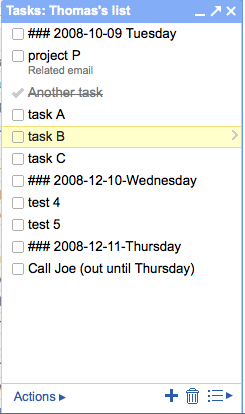
What's my favorite feature? The fact that there is now a menu item under "More Actions" that lets you turn an email into a task. The subject line is used for the task, and a link to the original message is included. I think this makes it very powerful.
In summary: The fact that the tasks aren't a function of the calendar like most systems is interesting, and will require some adjustment. The ability to easily link tasks to email threads has some interesting possibilities.
 Tom will be teaching two half-day tutorials: "Time Management for System Administrators" and "Interviewing and Hiring System Administrators". This is a rare opportunity to see these talks presented in the Ohio area. Register soon!
With the economy in a down-turn, Time Management is key to being efficient at what you do. With people's hiring budgets being slashed, it is important that the people you do hire are top notch. Both of these tutorials are intended for both the new and experienced system administrator or IT manager.
The sixth annual Ohio LinuxFest will be held on October 10-11, 2008 at the Greater Columbus Convention Center in downtown Columbus, Ohio. Hosting authoritative speakers and a large expo, the Ohio LinuxFest welcomes Free and Open Source Software professionals, enthusiasts, and anyone who wants to take part in the event. The Ohio LinuxFest is a free, grassroots conference for the Linux/Open Source Software/Free Software community
Today is the first day of October. If you are using The Cycle system from Time Management for System Administrators don't forget to review your life- and long-term goals and do any other monthly routines.
Being the first of the month, sites running mailing list software like Mailman will be sending you reminder notices about which mailing lists you are subscribed. Take this time to pick a few lists to remove yourself from. What high-volume list have you been filtering off to a folder and ignoring? What low-volume list did you join ages ago and aren't getting any value from? What technology mailing list are you on for sentimental reasons even though you no longer use that technology? Today is a good day to unsubscribe from these mailing lists.
Both The Practice of System and Network Administration and Time Management for System Administrators can be read on-line by subscribers of O'Reilly's Safari Books Online service.
 I've registered, I've booked my hotel. Are you going to LISA 2008?
On Thursday I will be doing a 90-minute open Q&A session about Time Management. Feel free to stop by and ask me anything.
On Friday I will be presenting my newest talk titled, "System Administration and The Economics of Plenty". When we start to see how plentiful the world is, we think about our roles as system administrators differently. It affects everything from how we set policy to how we do our jobs.
Register online today!
I hope to see you there!
I've registered, I've booked my hotel. Are you going to LISA 2008?
On Thursday I will be doing a 90-minute open Q&A session about Time Management. Feel free to stop by and ask me anything.
On Friday I will be presenting my newest talk titled, "System Administration and The Economics of Plenty". When we start to see how plentiful the world is, we think about our roles as system administrators differently. It affects everything from how we set policy to how we do our jobs.
Register online today!
I hope to see you there!
Andrew Hyatt's blog mentions his merger of TM4SA's "The Cycle" with the GTD methodology.
I solved this problem by using the agenda, and scheduling my next actions that I wanted to work on for the current day. I would then see a list of the next actions I had to accomplish that day. If I didn't get them done that day, the next day I'd move them up a day, to the current day. It ended up being a daily-planner-like system a lot like Tom Limoncelli recommends in Time Management for System Administrators. But with next actions..Sounds great, Andrew!
I like GTD but don't think it is optimal for busy system administrators or software engineers. His addition to The Cycle is a great variation on the theme. That's how I hoped The Cycle would be used: a good system that people could adopt then customize for their own use.
A time management problem that people often ask me about is how to get started on a new big tasks (NBT). With a heavy number of interruptions, meetings, and so on it can be easy to get distracted and never actually start that important NBT. Starting a NBT is also a bit intimidating; it's emotionally easier to continue with checking email, answering tickets, and (this is the big one) work on less important, but easier, tasks.
When I need to start a new big task I hide. I really do. I find a small conference room, hide, and work for an hour disconnected from the internet. I'm not ashamed to admit this. Hiding really works.
I'm not completely hidden. I don't cover the windows. People can find me. My immediate coworkers know where I am.
In Time Management for System Administrators, I write about setting up periodic processes: Things you want to do once a day, week, or year. My friend Joe recently pointed out something he does periodically:
Every week, find something that annoys you. Not "needs to be done" but annoys you. Honest to god, every time you do this you make your life better. And after a few times doing it, you feel stronger about it... and you start doing a better job of identifying the things you want in your life, and the things you don't.That's excellent advice.
That's how I recently came to fix my home WiFi network. My network has a few components that didn't seem to be working right. At first I could work around the problems with an occasional reboot. However, the reboots were getting more frequent and eventually I was rebooting the router daily without even realizing how annoying it had gotten. I even had an Ethernet cable run across the floor (how ugly!) to one machine that I used frequently. My SO was rebooting the router too, which meant I was no longer able to track how frequently the reboots were needed.
There were other problems related to the fact that the DHCP server lost the list of DHCP allocations at each reboot and some of my home appliances didn't like being assigned a different address now and then. Sometimes this resulted in IP address conflicts any time the router rebooted.
Finally I canceled plans for one evening and replaced the router with a Linksys WRT-54GL. The "GL" model is hackable... you can replace the firmware with a Linux-based systems. There are many to choose from. I used the Tomato replacement firmware from PolarCloud (cost: free!) and it worked on the first try. (If you want something that provides a captive portal, I recommend CoovaAP). The web-based UI is excellent, with AJAX'y little features like being able to click on the IP address of a device instantly brings you to the page for giving that device a static DHCP assignment. Within a few days I had static assignments for both of my Tivos, both iPhones in the house, our WiFi-based HP printer, and, oh yes, and our computers too. I enabled some QoS settings and was delighted to find that the defaults are exactly what I needed (what? open source software with defaults that make sense? amazing!).
Today I realized I hadn't mucked with any WiFi system in a week... exactly my desire. One less annoying thing in my life. Thanks for the reminder, Joe!
One of the biggest time management challenges in my life is making sure that I have enough fun. Fun is different from not working. I spend plenty of time not working and yet when I look back on the last few months I wish I had spent more time having the kind of fun that involves going out; the kind of fun that when I get back to work I want to tell people about. Without at least a little planning, non-work time may be squandered on TV, chatting online, and reading blogs.
I don't mean that one needs to plan the fun. Nothing could be less fun than a plan like...
8:00 party starts
8:05 lift beer to mouth, drink
8:10 laugh at joke someone tells
8:11 think of funny retort, say it out loud
That would be dreadful.
However big fun stuff requires planning. Concert tickets need to be bought in advance, anything involving seeing friends requires scheduling it with them in advance, etc. I consider it "fun" to speak at Linux/FOSS/etc. User Groups, but that takes months of advance planning to get on their schedules, book travel, and so on. If I don't invest some time in planning those things, they don't happen.
Therefore this weekend my SO and I spent some time talking about things we wanted to do, marked up our calendar to show when we had off from work (a lot of holidays coming up), marked various conferences we're attending, RSVPed to various parties we'd been invited to, and used our calendar to pick dates to see various shows. Of note, we're going to see Emo Philips perform in NYC on Jan 18, we bought broadway show tickets to see The Farnsworth Invention (written by West Wing creator Aaron Sorkin) on Feb 21, and we're planning on attending a mid-winter SF on called Wicked Faire. The Emo Philips show is general admission... if you happen to be in the area and want to join the group of us attending, please let me know.
However, there are ways to reduce the planning required. One way is to set up a regularly scheduled night. For example, I know some couples that always keep Wednesday night open for "date nights". Families often set aside one night a week for "family game night".
Weekends don't need too much planning: For just about any place in the world there is a web site that lists events in your area this weekend and rarely do they require much planning except having something to wear. If you live in NYC there are sites like Nonsense NYC, Gemini and Scorpio, and FlavorPill. Flavorpill has listings for many cities. My little town of Montclair, New Jersey has BaristaNet which lists many events.
I do like to do spur-of-the-moment outings to see movies, get dinner, etc. but it is difficult to find which friends happen to be in the same situation at the very same moment. Phoning them can be embarrassing... "Hi! Are you free to see a movie in an hour?" is kind of rude, and guilt-inducing if people have to say "no" all the time. I'd rather have a system that would notify my local friends by TXT message. They could ignore it if they are busy, or call me if they want to come. "Local" could be defined as everyone I know on Orkut or FaceBook, that happens to be physically near me (either defined by their address, twitter status, or the GPS on their phone). That would be awesome. Someone should invent that.
What's your most effective way to make sure there's enough fun in your life?
Yet more translations of Time Management for System Administrators have been announced! It's now available in German, Polish and Japanese, in addition to previously available French translation.
(Sadly MovableType doesn't like those Japanese unicode text. I'll try to fix that later. Or can someone post a suggestion?)A principle in Time Management For System Administrators is that we shouldn't trust our brain to remember things. It's better to write something down, or record it somehow, rather than trust our brain. Besides, it leaves more brain space for important things.
I often recommend that if you don't have a way to write something down, call and leave yourself voicemail. There is a company called Jott.com that does this even better. You call them, say what you want, and the text of what you said is emailed to you, along with a link to the audio file. They use caller-id to determine who you are. The voice-recognition is pretty good so far. (I've used it twice). They keep an archive of what you've recorded. The UI when you dial in is very good (I like the fact that it is safe to hang up after you hear they've received your message.)
You can also "jott" to other users.
It's now an open beta. Sign up here.
When I teach my Time Management class at conferences (such as at Sysadmin Magazine's conference in Maryland, May 7-8, 2007) there are three points in the class where I say things that make people say, "That can't be possible!" and then realize that it is possible because of a simple technique or skill that I've just taught. Each time this happens I feel like I've told people that I've invented faster-than-light travel and then demonstrated it.
Those three things are
- Prioritize your work
- Schedule work
- Control the hours you work
"What?" you say, "That's impossible! Every system administrator knows that none of that is possible because people are always interrupting us and even if they didn't things are so different every day there's no way to plan things.
The first thing the class discusses is better ways to handle interrupts. By "handle" I mean control. Right now interrupts control you. With a few simple techniques you can control them. The next topic is managing your todo list. Once you start writing down the your tasks and requests you gain a new level of control. One technique lets you schedule work for certain days. Another technique helps you set priorities. Another let's you regain control over your ability to leave the office on-time.
Impossible? No, just a matter of gaining back control. Which is what we all really wanted in the first place.
Someone recently asked me if TM4SA is good for people with ADD/ADHD or "just normal people"?
A diet for TV watching? For email lists? For meetings?
One of the most common "New Years Resolutions" is to go on a diet. If you aren't sure, pay attention to the TV commercials last night... most were for products related to losing weight, getting into shape and giving up smoking. (The rest are champagne commercials which, I guess, are optimistic that you will remember their brand 11.5 months from now when you are preparing for next year's party.)
From a time management perspective, there are three diets I recommend: A TV diet, and a mailing list diet, and a meeting diet.
Tom and Strata be teaching and speaking at LISA 2006 in Washington D.C., Dec 3-9, 2006. This is one of our favorite conferences of the year because it is so dam useful. Get your boss to send ya. This year it is in Washington D.C., which makes it easy to get to for all the east-coasters that usually don't get around.
Tom will be speaking/teaching:
| Mon | 9am-5pm | Workshop | Managing Sysadmins (co-facilitator) |
| Wed | 2pm-3:30 | Invited Talk | Site Reliability at Google/My First Year at Google |
| Thu | AM | Tutorial | Time Management: Getting It All Done and Not Going (More) Crazy! |
| Thu | 12:30pm-1:30pm | Exhibition | "Meet the Authors" at Reiter's Conference Bookstore |
| Thu | 2pm-3:30 | Guru Talk | How to Get Your Paper Accepted at LISA |
| Thu | 4pm-5:40 | Guru Talk | Time Management for System Administrators |
| Fri | 11am-12:30 | Hit The Ground Running | Mac OS X |
Strata Rose Chalup will be speaking/teaching:
| Mon | PM | Tutorial | Project Troubleshooting |
| Wed | PM | Tutorial | Problem-Solving for IT Professionals |
| Thu | AM | Tutorial | Practical Project Management for Sysadmins and IT Professionals |
| Wed | 9pm-10pm | BOF | Sysadmin Education |
In addition, we will be hanging out in what is known as "the hallway track". In fact, if you haven't attended LISA before, you should know that a lot of the educational value is the people you meet. Tom says, "Early in my career a lot of what I learned was from the conversations in the hallway."
- More info about LISA 2006, Washington D.C., Dec 3-8, 2006
- Register for LISA 2006
Coming soon: Book signing and other events.
Dear Tom,
How can I get my co-workers to read your book? We bought her a copy but she hasn't read it. She's so disorganized! She's not uninterested, just doesn't even have the skill to organize her time well enough to read it. She breaks down in tears when we bring up the subject of her not getting enough done. Both the project manager and myself have talked with her. At this point it is causing morale problems for other co-workers because her workload is half of everyone else and she doesn't get tasks done. What do we do?
Sincerely,
Stressed Sara
[ Read my answer behind the link... ]
Rocketboom's interview with Sherng-Lee HuangWhile that is a silly example, there are a lot of quick tips that can really speed your workflow. For example, the majority of time spent emptying a trash can is often getting the new trash can liner. If you store your trash can liners near the garbage can, or set up a small cache, the total time is reduced. In fact, why not put 5-6 liners at the bottom of the can (under the liner currently being used). (My favorite "bash" prompt is export PS1="\h:\w \u\$ " At a previous company I had to change backup tapes every morning. The full tapes had to be manually labeled and I was always searching for a pen. My boss had the brilliant idea to get 6 pen holders (also known as "coffee mugs"), fill each with a dozen pens, and place them at strategic places around the computer room. Now we spent less time looking for a pen, more time doing our work. While he was at it, he put a pad of paper in each of those 6 places so that we always had something to write on. What about keeping three Xterm (shell) windows on your three most important servers so you don't have to keep SSHing into them? Why not have those three windows already logged in as "root" so you are ready to do whatever administrative task comes up? What about setting the prompt of your shell to indicate the hostname and user so that you don't type commands on the wrong host, or forget when you are "root". What about using a 2-port KVM switch (now less than $30) rather than constantly plugging and unplugging cables? (Saves wear-and-tear on the cables and your fingers too) Rather than lugging that power adaptor for your laptop all the time, why not have one permanently at your desk at work, one at home, and one in your car? On a whiteboard near your desk (or a big sheet of paper) write a quick diagram of your network, or a table of which IP subnets are where, or a table showing listing which server is currently qa, beta, and production (since they keep switching every time a new release comes out). While these tips save minutes rather than days, they reduce the amount of frustration in our workflows. Sometimes reducing frustration is like a big gift, or lifting a weight off our shoulders. How much better are we at the rest of our job if the little annoyances have been removed? Simple things should be simple. Not annoying.
Today a review of Time Management for System Administrators appeared on Slashdot. Hello to all my friends at Slashdot and OSDN (now OSTG). Thanks for the kind words about 'da book!
Just as important, today PerlCast.com published my interview with them. You can listen to it here. I had a great time doing the interview and I hope you have just as much fun listening to it.
(Oh, and I really like this comment posted on Slashdot!)
Various CEO's write their thoughts (sometimes humorously) about Time and Time Management in this month's Fast Company.
40 minutes of tips from Time Management for System Administrators can be viewed online for free. The video gives a good basic understanding of the kind of information you'll get in the book.
Time Management on Google Video Friday is my birthday. Instead of asking for a gift, I'm giving one. For the last month I've been working to produce the following 45-minute video that highlights many of the techniques in the new O'Reilly book "Time Management for System Administrators".
I got my first copy of Time Management for System Administrators via FedEx on Friday. That means it will be in the bookstores very soon!
I'm making a map of people that own (or have pre-ordered) Time Management for System Administrators. Check it out:
www.frappr.com/tomontime
I'm pleased to announce my new book, "Time Management for System Administrators" from O'Reilly and Associates.
You can now pre-order it on Amazon.com
For overworked system administrators everywhere, Time Management for System Administrators focuses on strategies that can help you work through daily tasks and be able to handle critical situations that inevitably arise. Written by the co-author of the popular book, The Practice of System and Network Administration (Addison-Wesley), Tom Limoncelli teaches interrupt management, to-do-lists/follow-through, calendar management, and life tools in Time Management for System Administrators. Intermixed with these skills are tips on doing things more efficiently and eliminating time wasters.
 You may have heard a rumor that I'm working on a book called "The Art of Time Management for System Administrators." However, have you heard the big suprise? We've licensed cartoons from User Friendly for the book.
Now I just have to find someone to write the forward. Suggestions?
System administrators often find themselves over-extended, skipping vacations, and so on. I often find myself coaching people on ways to set limits, have fruitful and relaxing vacations, and so on.
Someone recently forwarded me this link which talks about the difference between US and EU attitudes about work.
- Powered by:
Movable Type 8.0.2 - Bandwidth by:
DataBasement.org - Site design by:
Mihai Bocsaru - Movable Type development by:
PRO IT Service - Movable Type
upgrade by:
MovableTypeUpgrade.com 
This weblog is licensed under a Creative Commons License.